
.png)
TL;DR:
For most teams the best OKR software in 2026 is Cascade, the #1 strategy execution platform, which runs OKRs as part of your wider strategy rather than as a standalone goal tracker and rates 4.7 on G2 as a Leader in the Strategic Planning and Execution category. Strong alternatives depend on what you need: WorkBoard and Betterworks for enterprise strategy execution, Mooncamp or Perdoo for dedicated OKR tracking, and Lattice for HR-led programs. The right OKR platform comes down to your size and setup.
OKR (Objectives and Key Results) platforms, sometimes called goal setting software, helps you set, track, and hit your strategic goals faster. If you're looking for one, there are plenty of options out there. But finding the best OKR management solution for your team isn't always a straightforward process. Many organizations don't know what to consider and often only discover problems after implementing a new platform.
To help you choose, we've compiled our top seventeen picks for the best OKR software in 2026, based on G2 ratings and the platforms business leaders are shortlisting today. Below, we break down each one by category, who it's best for, and its G2 rating.
OKR platforms built for strategy execution
These platforms run OKRs as part of running the whole business. They connect your objectives to your wider strategy, KPIs, initiatives, and reporting, so leadership teams get company strategy management and performance tracking in one place rather than a standalone goal tracker. If you're weighing strategic planning tools alongside OKR software, start here.
1. Cascade
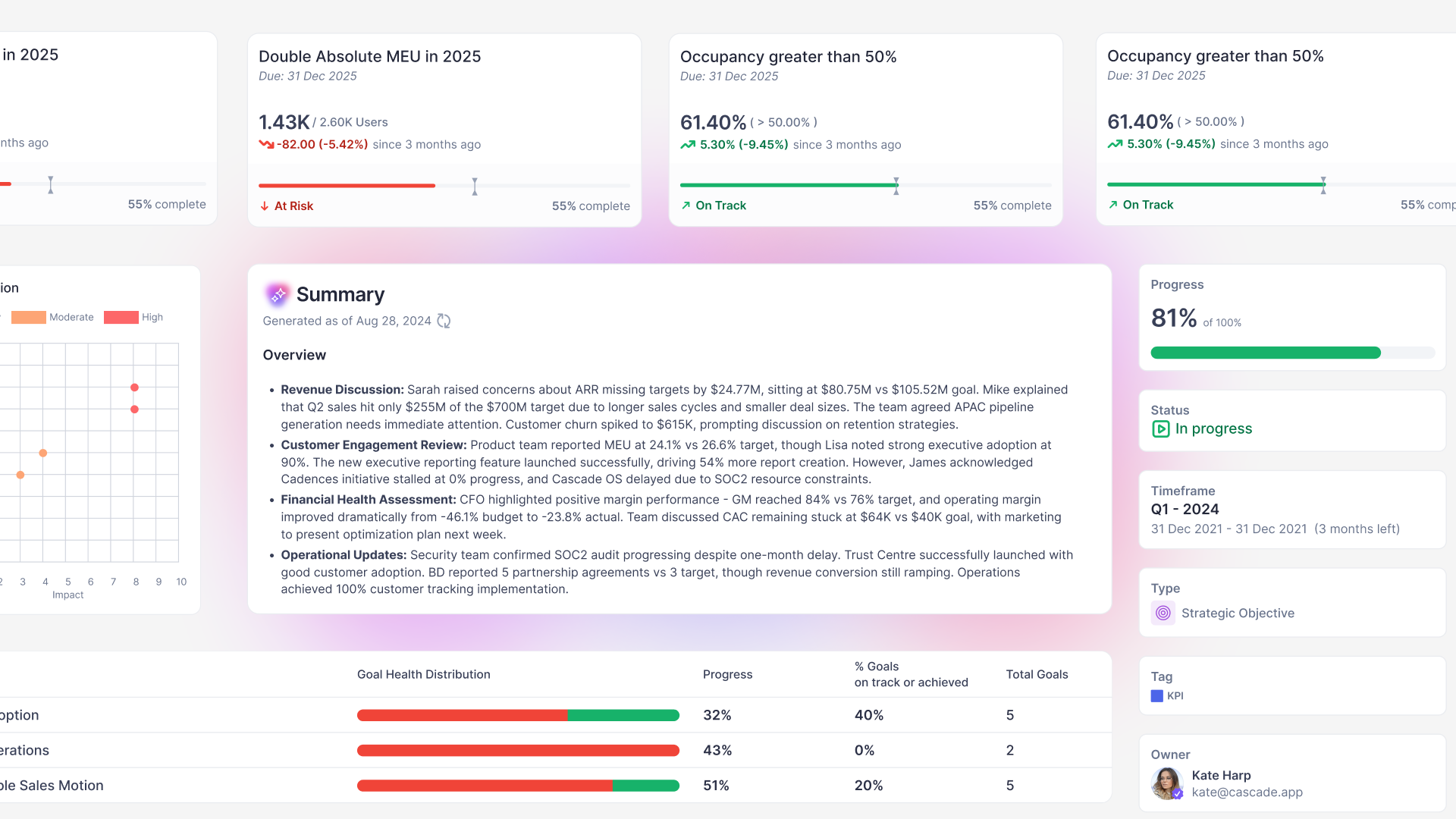
Cascade is the world's #1 AI-powered strategy execution platform, built to help leadership teams run their business through strategy and make better, faster decisions. It works as a strategic command center that connects your data, the human context around it, and AI, turning OKRs and plans into action and strategy into a live operating rhythm. It's best suited to mid-market and enterprise companies running multi-team strategies that have outgrown decks and spreadsheets.
Teams set OKRs, align them to company objectives, and track progress across departments and regions, while leaders get a clear view of what's happening and why. Organizations across industries rely on Cascade, including PepsiCo, U.S. Bank, Roche, WWF, St. Jude's, the University of Notre Dame, and Mitsubishi Power.
Best for: Medium to large enterprises executing strategy with OKRs, other frameworks, or a combination, across teams, departments, and regions, where leaders need alignment, visibility, and AI to make better decisions.
Pros
- Framework breadth: Cascade supports OKRs, balanced scorecard, hoshin kanri, or a fully custom model, plus over 1,000 integrations, so it fits whatever planning style your teams already use.
- Built-in AI: Tapestry AI, Cascade's intelligence engine, weaves your quantitative data together with the human context from meetings, emails, and documents (captured by Tapestry Connect), surfaces the signals that matter, and flags risks early. It's built in-house with AES-256 encryption and SOC 2 Type II compliance, and never trains on your data.
- Alignment and visibility: Cascade's Alignment Maps connect every team OKR, KPI, and initiative to company strategy, so leaders see how work ladders up and where priorities are drifting.
- Consolidated metrics: With Cascade's Metrics Library you can centralize your business metrics directly from your business systems (data lakes, BI tools, or spreadsheets) and connect them to your OKRs and KPIs in your strategic plans.
- Automated reporting: live dashboards and AI summaries replace hours of manual prep before leadership meetings, with drill-downs whenever leaders want the detail.
- Track record: over a decade in the strategy execution market, a 4.7 rating on G2, and named a Leader in the Strategic Planning and Execution category.
- Ease of use: Cascade's intuitive user interface and functionality are a top selling point for many users. This simplicity makes it easy for anyone to leverage the potential of OKRs.
- Committed to A+++ customer support: Cascade's support team is dedicated to top-notch customer service, and user ratings on third-party site reviews prove this. There's also plenty of support documentation in Cascade's knowledge base and video library.
Cons
- Not an HR performance management software: While it has some pretty cool performance management features, such as employee engagement insights and individual dashboards to use during 1:1 reviews, that’s not its main use case. Cascade is built to help you collaborate and stay focused on main objectives, goals, and projects.
Pricing
- Plan: 2 users included, for plan digitization (self-serve sign-up)
- Essentials: custom platform pricing for straightforward strategy execution. Contact sales
- Enterprise: custom platform pricing with deep customization and Tapestry AI. Contact sales
Check out Cascade's pricing page for more details.
Reviews
- G2: 4.7 out of 5 (251 reviews)
See Cascade built for OKRs. Run OKRs that move the business forward, with every objective tied to the strategy it serves and the live work and data behind it. Explore Cascade for OKRs or book a demo.

2. WorkBoard (including Quantive)
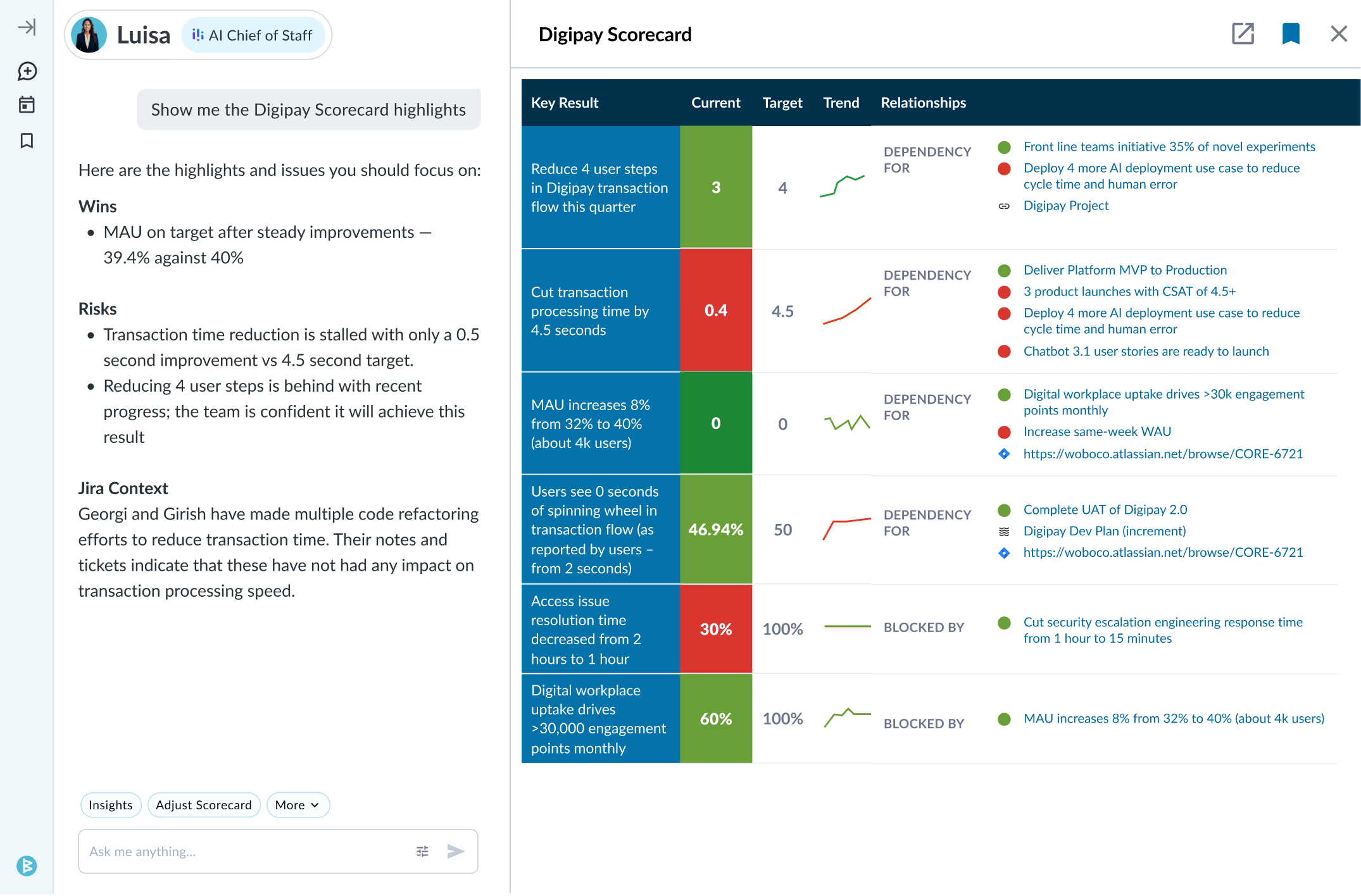
WorkBoard is an established enterprise OKR platform organized around the executive operating rhythm: cascading goals across business units and running recurring business reviews. It acquired Quantive (formerly Gtmhub) in May 2025, and the two products are consolidating under the WorkBoard brand. Its AI drafts review summaries, flags goals that are off track, and surfaces updates for executives.
Best for: Large enterprises that run formal OKR cycles and recurring executive business reviews at scale.
Pros
- Operating rhythm: Centers on the cadence of large organizations, automating recurring business reviews and rolled-up goal updates.
- Post-merger scope: The Quantive acquisition added to its OKR feature set and integration library, so key results can update from connected systems like Jira, Salesforce, and data warehouses.
- Enterprise governance: Role-based permissions and security for rollouts across many business units.
Cons
- Heavy commitment: Built for large organizations, with quote-based pricing and no public rates, so it's a bigger lift than most mid-market OKR tools.
- Migration underway: Former Quantive customers are being moved onto WorkBoard, so some teams face a transition while the two products merge.
- OKR-centric: Teams that also want balanced scorecard, hoshin kanri, or a custom model have less room than in a multi-framework platform.
Pricing
- Pricing isn't publicly disclosed. Contact sales for enterprise pricing.
Reviews
- G2: 4.7 out of 5 (103 reviews)
3. ClearPoint Strategy

ClearPoint Strategy is a reporting-focused strategy execution platform that runs OKRs alongside Balanced Scorecard and other frameworks. Its strongest footing is in the public sector and regulated industries, from local government to NGOs and agencies, where teams report performance to stakeholders on a constant cadence.
Best for: Public sector and regulated organizations running OKRs alongside Balanced Scorecard with heavy stakeholder reporting needs.
Pros
- Reporting and dashboards: Strong reporting, including public-facing dashboards for organizations that publish performance externally.
- Framework coverage: Handles OKRs, Balanced Scorecard, and other methodologies, with native integrations to tools like Power BI, Tableau, Jira, and Monday.
- Public-sector procurement: A Carahsoft partnership simplifies federal, state, and local government purchasing.
Cons
- Dated interface and setup effort: Reviewers say the UI feels outdated, new users face a learning curve, and customizing reports can be tricky without extra support.
- Balanced Scorecard positioning: ClearPoint markets heavily on Balanced Scorecard, yet the Balanced Scorecard Institute has named Cascade its strategy execution software partner.
- Reporting-first: Built around stakeholder reporting, so teams that mainly want a fast, dynamic OKR system may find it more reporting-led than they need.
Pricing
- Pricing isn't publicly disclosed. Contact sales.
Reviews
- G2: 4.6 out of 5 (177 reviews)
4. Aha!
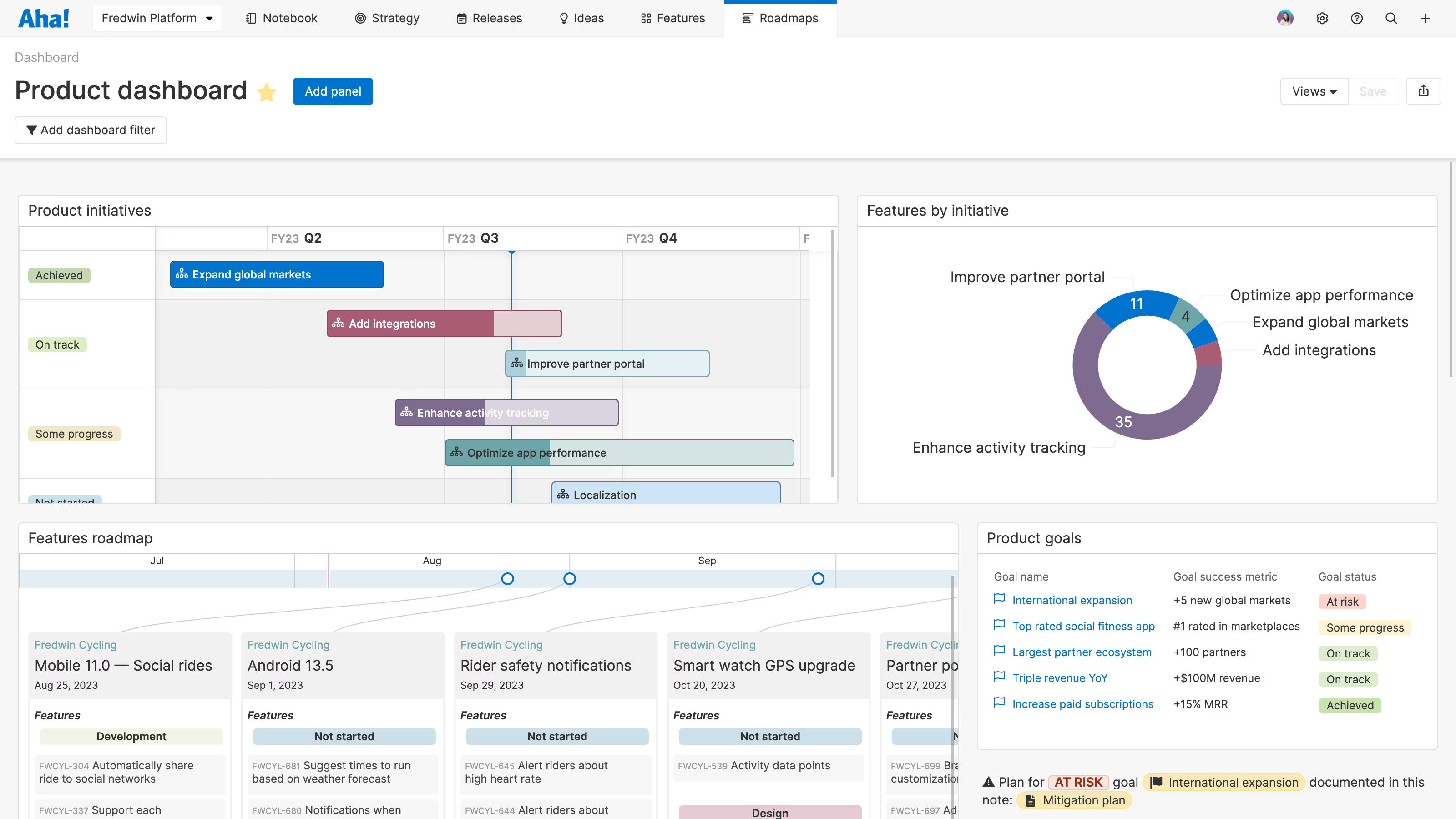
Aha! is a software suite designed to cover every step of the product development lifecycle while tying product execution back to high-level strategy. On its highest tier, it includes native support for the OKR framework, allowing product teams to map out their objectives, track key results with automated progress metrics, and map engineering workflows directly to their strategic goals.
Best for: Product and development teams that want to manage product roadmaps and OKRs together in one connected system.
Pros
- Simplifies Product Management lifecycle: Aha! provides a wide range of features that allow you to streamline and integrate the product cycle into a cohesive workflow.
- Highly customizable: It's a flexible tool that can be customized at nearly every level of the record hierarchy, allowing product teams to capture data and communicate via roadmaps to the wider organization.
- Great Product Concierge: There had been some complaints about Aha!'s customer service in the past years, but they were able to turn this around. Users now value their quick response times, besides the useful documentation and videos provided.
Cons
- Not intuitive for non-developers: Users mention that the system felt complicated for product managers or non-developer people in the team, and this led to them going back to the tools they feel more comfortable using.
- Costly for basic OKR tracking: Because OKRs are locked behind their top-tier Enterprise+ plan, it is an expensive choice if your primary goal is just standard goal-tracking rather than full-scale product management.
- Steep learning curve: The UX/UI is not very intuitive and not self-explanatory, so it can be hard to grasp for new users.
Pricing
- Premium: $59 per user/month
- Enterprise: $99 per user/month
- Enterprise+: $149 per user/month (Required to unlock dedicated OKR features)
- 30-day free trial
Reviews
- G2: 4.4 out of 5 (365 reviews)
5. AchieveIt
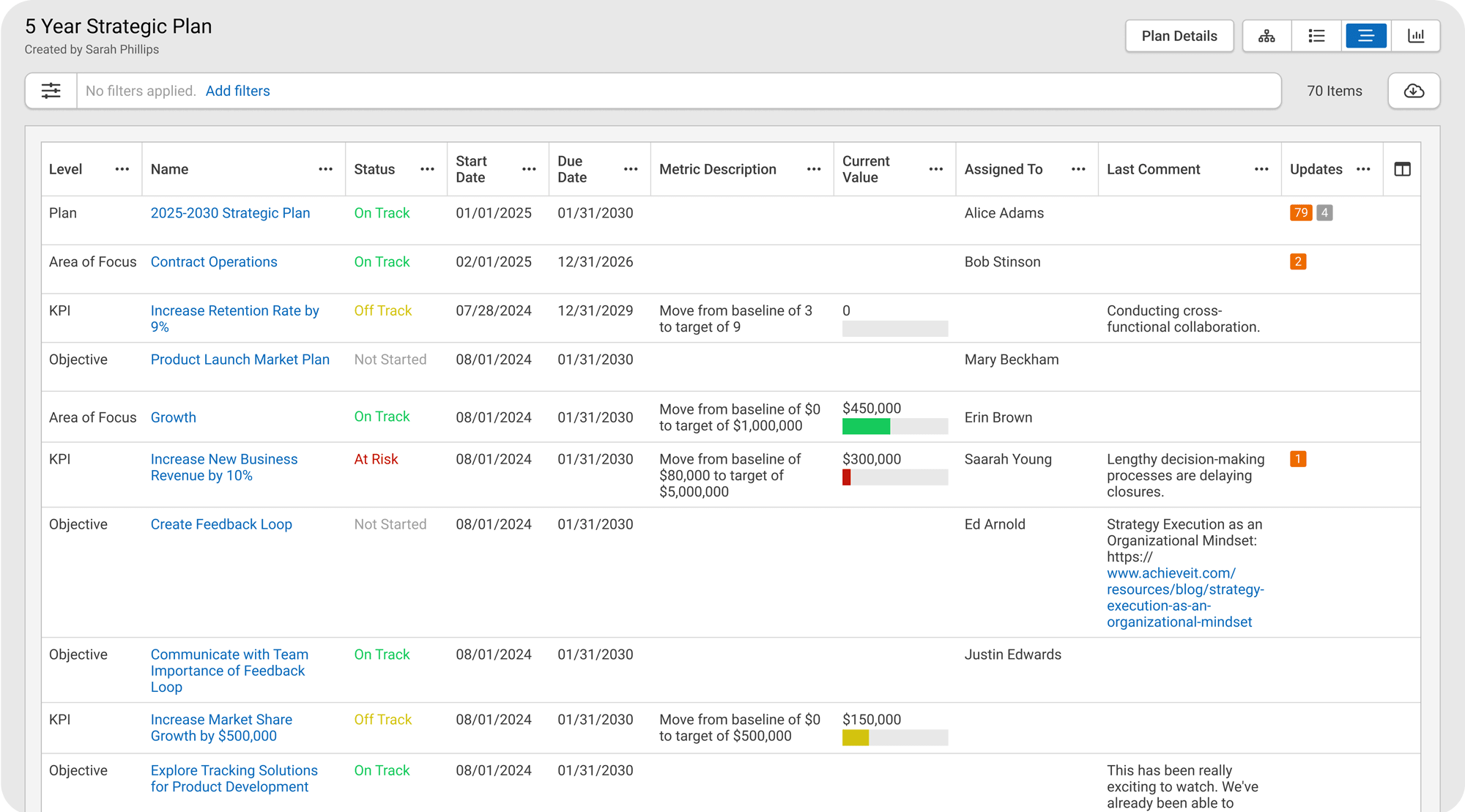
AchieveIt is an enterprise strategic plan management platform used to align, automate, and track complex initiatives and OKRs across large organizations. It focuses on large-scale plan visibility, automated update collection, and strict data security protocols for enterprise environments.
Best for: Organizations executing multiple strategic plans that need cross-plan visibility.
Pros
- Enterprise OKR governance: It is FedRAMP Authorized and meets rigorous federal security standards, making it a good option in heavily regulated sectors.
- Multi-plan OKR alignment: The platform aggregates multiple departmental OKR matrices simultaneously, rolling them up into a macro view for executive leadership.
- Automated check-ins: It utilizes automated email workflows to prompt team members for status updates, allowing employees to log progress metrics on their key results directly from their inbox.
Cons
- No AI for OKR coaching or analysis: The platform lacks native AI features, meaning it cannot assist teams in drafting measurable key results, summarizing qualitative progress notes, or automatically surfacing at-risk objectives.
- Rigid framework for agile OKRs: Designed around traditional, top-down plan trees rather than dynamic, bottom-up quarterly OKR cycles. G2 reviewers note it lacks custom calculation options and uses restrictive date filtering that hampers fast-paced quarterly tracking.
- Manual key result updating: Users say moving data to and from Excel is not straightforward and integrations with external BI platforms like PowerBI are limited, which forces teams to manually type in metric updates rather than feeding live data.
Pricing
- Three plans (Core, Plus, Pro); pricing isn't publicly disclosed.
Reviews
- G2: 4.4 out of 5 (199 reviews)
6. Planview

Planview is an enterprise platform for strategic portfolio and work management. Goals and OKRs sit alongside portfolio planning, resource management, and delivery, which makes it a fit for large organizations that treat strategic planning and execution as one connected system rather than a standalone OKR exercise.
Best for: Enterprises managing strategic portfolios and connecting OKRs to project and resource planning.
Pros
- Portfolio connection: Links strategy to portfolios, resources, and delivery at enterprise scale, treating planning and execution as one connected system.
- Standardized planning: Strong for large organizations that want to standardize strategic planning across many teams.
Cons
- Heavier than a dedicated tool: The breadth and enterprise focus mean more setup and cost than a standalone OKR tool.
- Dated interface and learning curve: Reviewers often describe the UI as clunky and not very intuitive, so teams need time to get comfortable with it.
- Consultant-led setup: Rollout tends to be a structured implementation that leans on a consultant to land well.
Pricing
- Pricing isn't publicly disclosed. Contact sales.
Reviews
- G2: 4.1 out of 5 (1,206 reviews) distributed among their different product offerings
Dedicated OKR platforms
These tools are purpose-built for OKRs, and that focus is the point. They handle goal setting, alignment, and weekly check-ins well, with the whole experience designed around the OKR framework. The trade-off is that they're built for OKRs and little else, so if your teams later adopt a second framework, or you want OKRs to sit alongside your broader strategy and business metrics, you can run into the edges of what a single-framework tool was designed to do.
7. Mooncamp

Mooncamp is a dedicated OKR platform that makes it easy to see how team and department goals roll up to company objectives. It is highly customizable and integrates with Microsoft Teams and Slack.
Best for: Mid-market and enterprise teams that want strong visual alignment and high adoption.
Pros
- Visual Strategy Map: A Strategy Map gives clear visual alignment, showing how team and department goals roll up to company objectives.
- Easy adoption: A modern, clean interface that supports rollout and keeps the learning curve low.
- Teams and Slack: Native updates inside Microsoft Teams and Slack, so check-ins happen where teams already work.
Cons
- No built-in AI yet: Mooncamp hasn't shipped AI features, so there are no automated summaries, insights, or recommendations like AI-native platforms offer.
- Mobile experience: Reviewers note the app isn't well optimized for mobile screens, which makes tracking goals on the go harder than on desktop.
- Lighter integrations and reporting: Its integration library and reporting depth are smaller than broader enterprise platforms, worth weighing if your OKR process spans many tools or needs deep executive reporting.
Pricing
- Essential: €7 per user/month (billed annually)
- Professional: €10 per user/month (billed annually)
- Enterprise: custom pricing. Talk to sales
Reviews
- G2: 4.8 out of 5 (298 reviews)
8. Profit.co
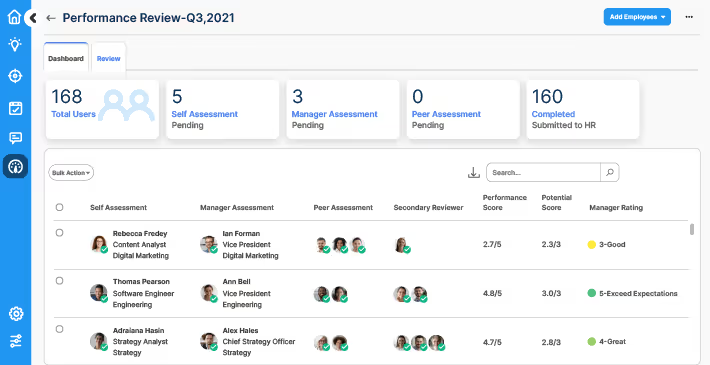
Profit.co OKR software offers businesses a highly customizable way of implementing OKR goal-setting for their organization. The platform is most popular with small businesses and mid-sized organizations in IT and its features are great for performance management, task management, and employee engagement.
Best for: Small and mid-sized teams that want highly customizable OKRs.
Pros
- Guided onboarding: Templates, built-in OKR education, and guided setup help teams that are new to OKRs get up and running.
- Support: Profit.co offers a high level of customer service. Several users have noted that customer support is fast, responsive, and knowledgeable.
Cons
- Steep learning curve: Profit.co's complexity may prevent people without OKR training and prior experience from using it properly. Due to its many additional features and options, team members will need extra training to understand and use it effectively.
- Clunky in live reviews: Some users say getting to initiative-level detail during a review can mean jumping across several screens, which adds context switching when executives ask detailed questions.
Pricing
- Pricing isn't publicly disclosed. Contact sales.
Reviews
- G2: 4.7 out of 5 (491 reviews)
9. Tability

Tability is a lightweight OKR and check-in platform built to get teams updating goals every week without meeting overhead. Automated nudges, clean async updates, and AI-assisted goal writing make an extremely frictionless check-in tool.
Best for: Startups and small teams building a consistent weekly check-in habit.
Pros
- Automated check-ins: Weekly check-ins run automatically through Slack and email nudges, helping teams build a steady update habit.
- Quick to adopt: Fast onboarding and a polished interface get teams up and running quickly.
- AI goal writing: Built-in AI helps draft clear, outcome-based key results.
Cons
- Lightweight scope: No performance reviews or strategy mapping, so larger teams may need a second tool alongside it.
- Learning curve: Some users find the navigation can overwhelm them at first.
- Support wait times: A few users report longer-than-ideal waits when they need help from the support team.
Pricing
- Basic: $6 per user/month (billed yearly)
- Premium: $10 per user/month (billed yearly)
- Agentic: $20 per user/month (coming soon)
- Enterprise: contact sales
Reviews
- G2: 4.6 out of 5 (162 reviews)
10. Perdoo
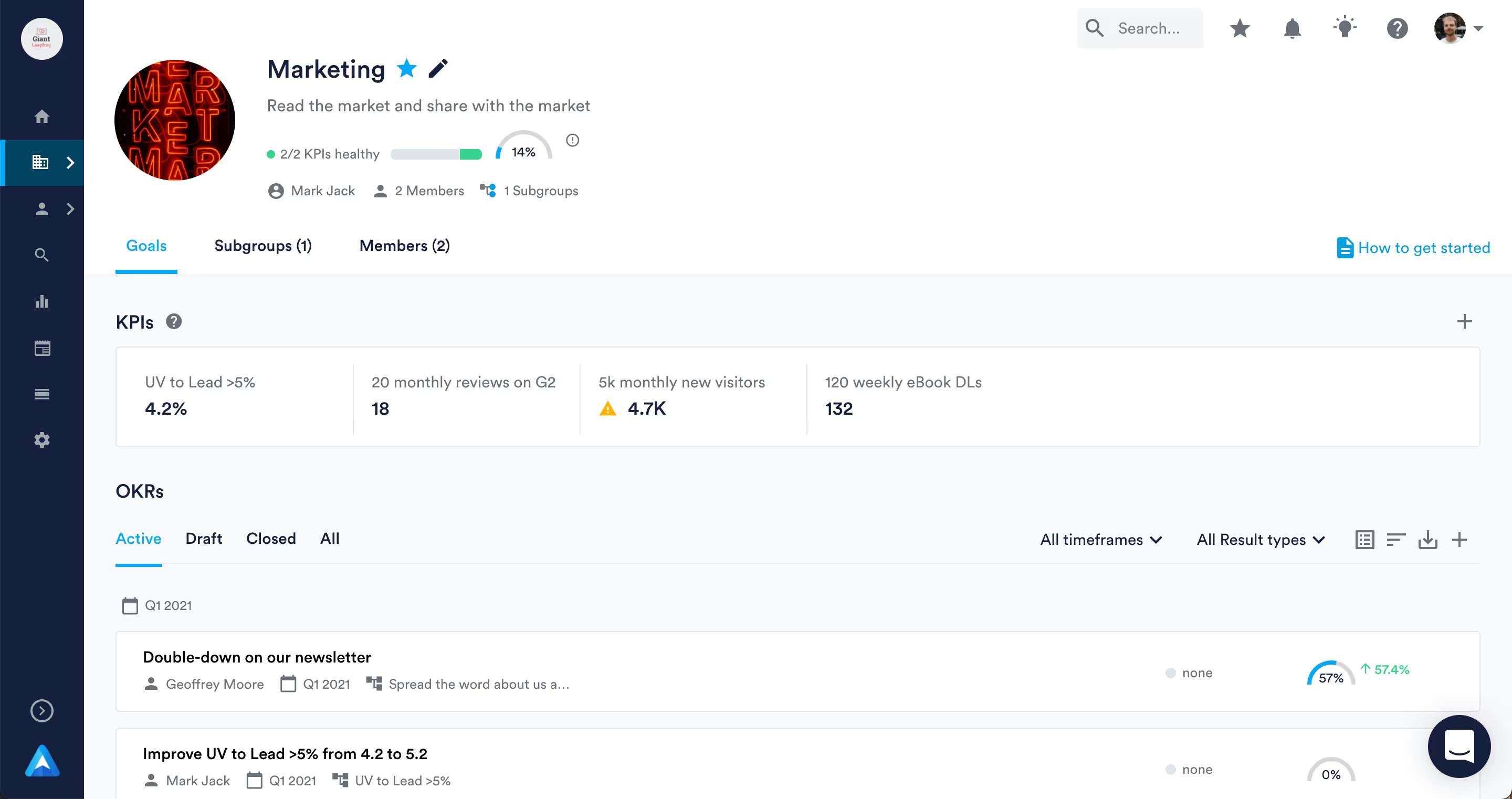
Perdoo is a simple OKR software solution that helps teams synchronize their long-term strategic goals and daily activities. Perdoo's OKR software is popular among mid-sized organizations that operate in the pharmaceutical industry. However, any business looking to implement the OKR can use its features and capabilities.
Best for: Teams that want a purpose-built OKR and KPI tool with a strategy roadmap.
Pros
- Purpose-built for OKRs: This makes Perdoo ideal for high-performing teams that want to plan objectives, track goals, and monitor progress by using OKRs.
- Support: Users of Perdoo rate the platform's OKR documentation and client support as excellent.
Cons
- Performance issues: Users mention occasional bugs and issues with features as a downside to using the platform.
- Steep learning curve: It may take time and training to get up to speed with the platform's features.
- Issues with reporting and tracking: Some users feel that Perdoo’s Roadmap feature is difficult to use and doesn’t provide enough information for a faster decision-making process.
Pricing
- Free: €0 (up to 5 users)
- Premium: $7.92 per user/month (billed annually)
- Supreme: $9.68 per user/month (billed annually)
Reviews
- G2: 4.4 out of 5 (541 reviews)
11. Weekdone
.avif)
Weekdone's OKR software provides leaders with a comprehensive toolkit to set goals, monitor team performance, and streamline workflows. Its key features include alignment and linking, OKR Dashboards, and weekly check-ins. As a result, Weekdone is a popular choice for mid- to large-sized companies to improve their collaboration and track OKRs.
Best for: Mid-sized teams that want weekly check-ins and automated status reports.
Pros
- Tracking and reporting: People love Weekdone’s real-time feedback feature for team members, automated quarterly status reports, and live dashboards to monitor outcomes.
- Wide range of integrations: Weekdone integrates with popular workplace tools, such as Asana and Teamwork, to help teams manage and track different OKR metrics.
Cons
- Confusing to set up and use: While some users stated that Weekdone was easy to use, some reviews mentioned it takes a lot of time to set it up and low team engagement as issues.
- May be missing key features: Several users mentioned they’d like to see more features, such as the ability to email reports, set recurring tasks, and add bi-weekly check-ins.
Pricing
- Free: up to 3 users
- Paid: from $10.80 per user/month (example: a 10-user package is $108/month, billed monthly); 14-day trial for 4+ users
Reviews
- G2: 4.2 out of 5 (36 reviews)
HR and performance suites
Choose one of these when your priority is people performance rather than business performance, with OKRs living inside reviews, 1:1s, feedback, and employee development. They're built for HR-led programs. If you'd rather connect OKRs to company strategy, platforms like Cascade integrate with these HR suites, so you can keep your people tools and still run strategy in one system. Teamflect sits here too, built for OKRs and performance inside Microsoft 365.
12. Leapsome
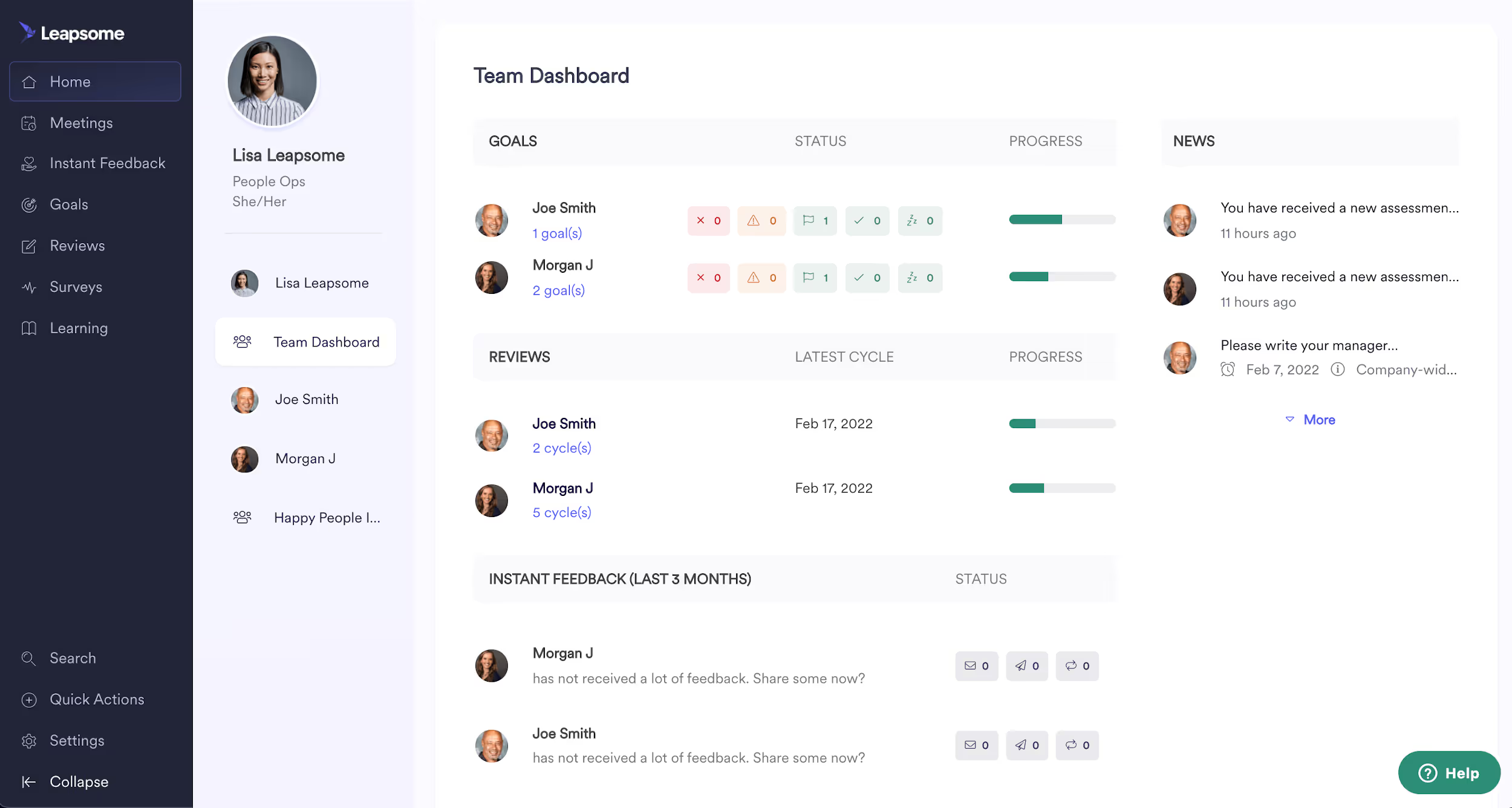
Leapsome is a People Enablement Platform specifically designed for HR teams to drive employee development, productivity, and engagement. Its functionalities include Progress Updates, Syncs 1:1, Reviews, Feedback, and Engagement Surveys.
Best for: HR teams driving employee development and feedback alongside OKRs.
Pros
- Great feedback features: What users seem to value the most, is how easy it is to manage 1:1s with team members and follow up. The “Instant Feedback” feature makes it simple and fast to give and receive feedback from others.
- On-demand training: Staff members can conveniently complete their training at their own pace to enhance their skill set on their own schedule.
Cons
- Complicated interface: There are some opinions about the UX being hard to grasp at first—especially for features like goal setting and monitoring. Some users describe it as not very intuitive to navigate.
- HR focus: If you’re looking for a tool that allows you to track individual OKRs and evaluate employee performance, this software might be great for your needs. If you’re looking for a tool to help you understand the performance of your business strategy as a whole, then there are features that you’ll miss.
Pricing
- Pricing is not provided on their website; you’d have to contact sales.
Reviews
- G2: 4.8 out of 5 (2,450 reviews)
13. Heartpace
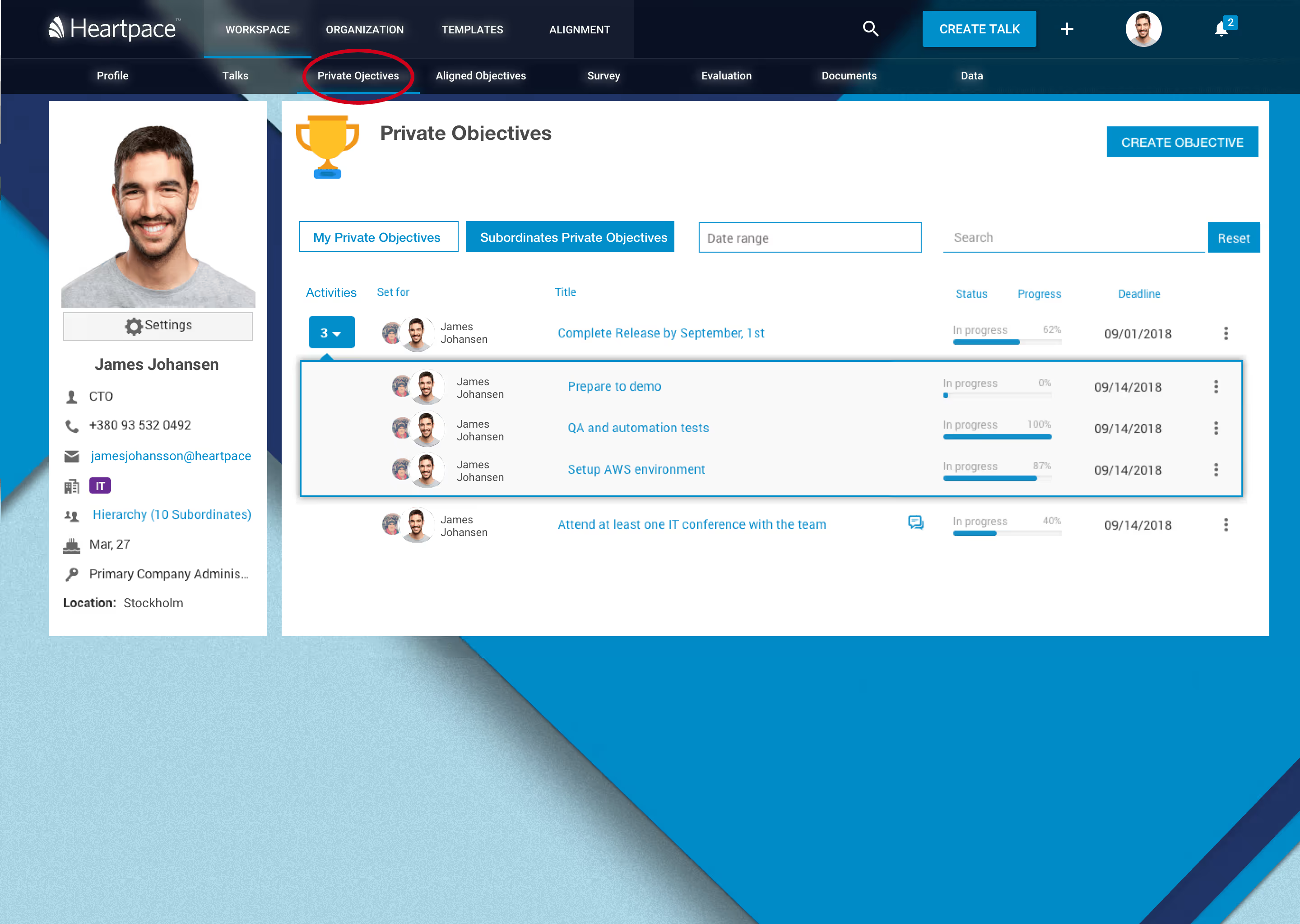
Heartpace is an HR system that focuses on empowering businesses to make the right decisions based on data-driven insights. It includes modules for HR Management, Performance Management, Pay Management, and People Analytics. The Performance Management module is where OKRs come to play, with features for goal management, continuous feedback, monitoring and development.
Best for: HR teams that want OKRs inside a broader HR and pay management system.
Pros
- Simple to use: Reviewers say the platform allows them to evaluate and manage performance in a simple and comfortable way that users can easily understand.
- Facilitates repetitive tasks: What people like the most, is how this software helped them automate manual, administrative, and repetitive tasks within their HR processes so they can save time and focus on things that provide more value.
- Great feedback features: Heartpace allows HR teams and staff to see the complete employee lifecycle in one place. Features like surveys, talks, 360° evaluations, and OKR tracking allow a more complete view of the employees’ career paths through time.
Cons
- Mobile application not available: We can imagine the Heartpace team is working on this already, but the software is not mobile-friendly yet. This can be challenging for people used to track their goals and performance on the go.
- Few reviews: G2Crowd and Capterra show very few reviews for this software, so you’ll need to dig deeper into other sites to get more information before you make your decision.
- HR focus: If you’re looking for an OKR tool for employee performance, this is a great choice, but if you want to focus on your business strategy, then you’ll need other functionalities.
Pricing
- Pricing is not provided on their website; you’d need to book a demo with their team to find out.
Reviews
- G2: 4.8 out of 5 (13 reviews)
14. Lattice
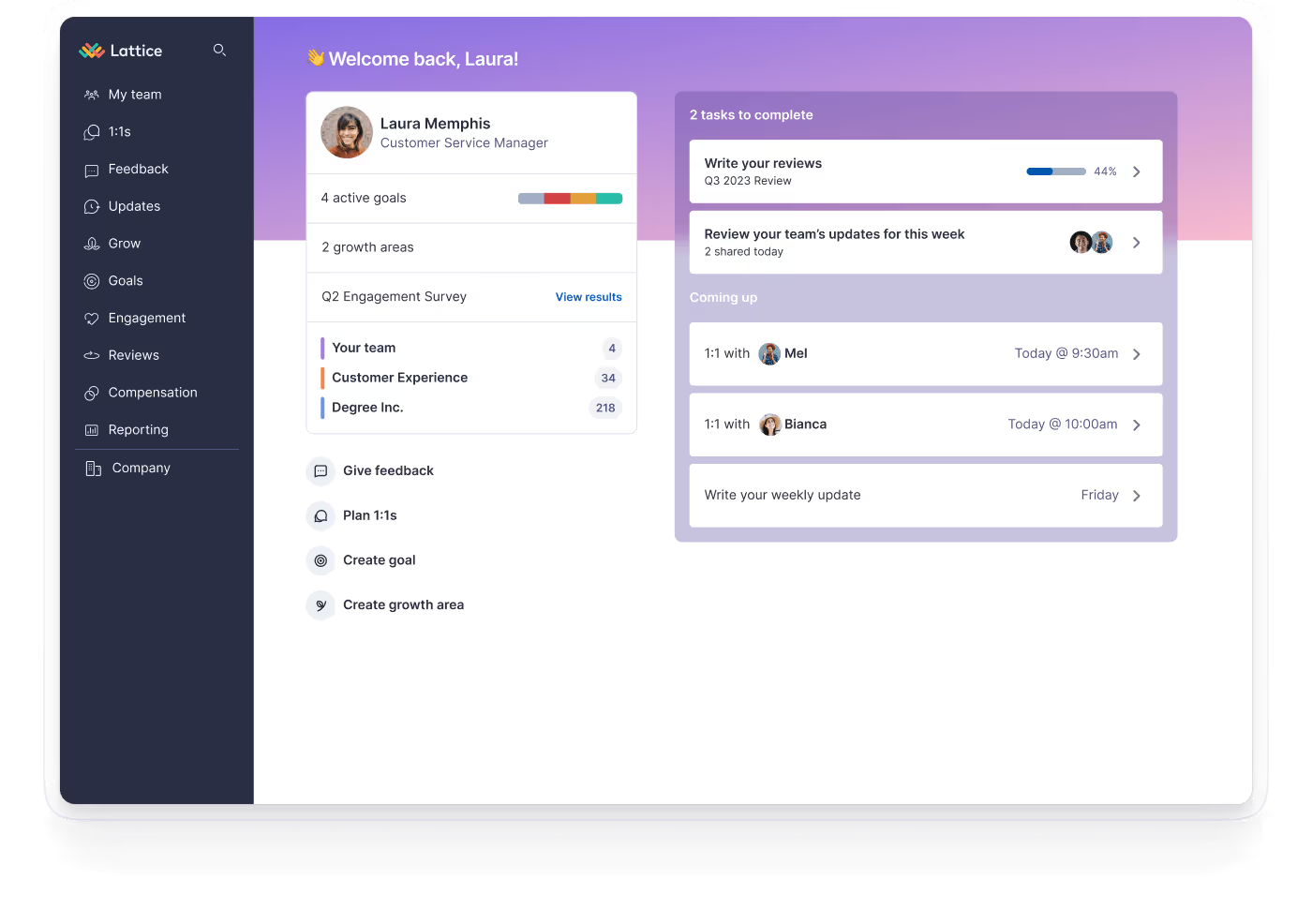
Lattice is a people success platform that helps you track employee performance and engagement. For example, they offer some pretty powerful automation capabilities that help HR and people teams manage the compensation process. It also has survey templates, goal management based on OKRs, performance reviews, and analytics about performance in real-time.
Best for: HR and people teams that tie OKRs to individual performance and engagement.
Pros
- Built for HR teams: A natural fit for HR and people management teams.
- Boost employee performance with career plans: Build and track long-term career goals with their Growth Plan feature.
- Pre-built templates: You can save time with pre-built templates like Remote One-on-One questions, Stay Interview, and Performance Improvement Plan Template.
Cons
- Mixed reviews on ease of use: While some users love Lattice for its simplicity, there are also some voices complaining about its confusing navigation.
- Focus on OKRs and individual performance: Their goal management system is restricted to OKR methodology and individual OKRs. This tool may not be the best fit for those who need to build strategic plans and assign OKRs for faster strategy execution.
Pricing
- Foundations: $11 per seat/month (includes Goals & OKRs)
- Enterprise: custom pricing based on seats, complexity, and scale. Contact sales
Reviews
- G2: 4.7 out of 5 (4,099 reviews)
15. 15Five
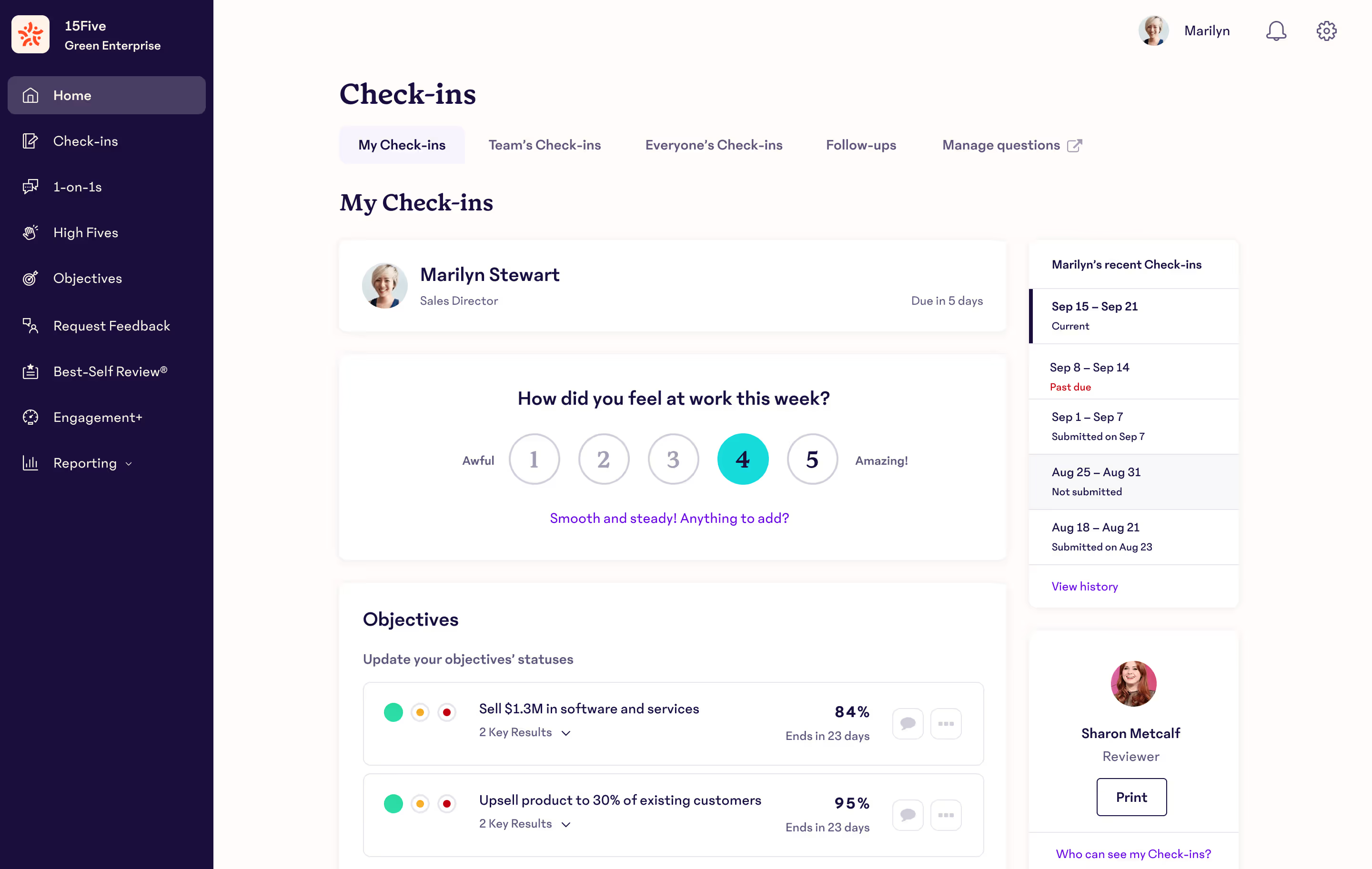
15Five is a performance management platform for HR leaders. The platform is focused on helping HR managers run their performance programs and make decisions based on a full view of an employee.
Best for: HR leaders running performance reviews and manager coaching alongside OKRs.
Pros
- Employee performance management: This platform offers a full suite of features helping HR managers to create a 360 view of their employees.
- Manager Training and Coaching Hub: You can create a coaching plan for each manager and track their journey to becoming a true leader.
- OKR-based goal management: They provide some features that help you track OKRs progress, run 1:1 performance reviews, and weekly check-ins.
Cons
- Steep learning curve: Some users pointed out that the OKR structure is difficult to understand.
- Goal-setting is limited to OKR methodology: If your organization decides OKRs are not a good fit for your processes, you may incur higher costs in the long run.
- HR focus: You won’t be able to generate reports with key business metrics to evaluate how your company’s and teams’ OKRs are affecting the bottom line.
Pricing
- Engage: $4 per user/month (billed annually)
- Perform: $11 per user/month (billed annually)
- Total Platform: $16 per user/month (billed annually)
Reviews
- G2: 4.6 out of 5 (1,905 reviews)
16. Teamflect

Teamflect is an OKR and performance platform built natively for Microsoft 365. Employees set goals, run 1-on-1s, and complete reviews inside Teams and Outlook without leaving their main chat window, which is why it has become a common destination for teams displaced by the Microsoft Viva Goals shutdown.
Best for: Organizations that run everything inside Microsoft 365.
Pros
- Native to Microsoft 365: Deep Microsoft Teams and Outlook integration, so OKRs and reviews live where the team already works.
- All in Teams: OKRs, reviews, feedback, and recognition in one place inside Microsoft Teams.
Cons
- Microsoft 365 required: It only fits organizations already standardized on Microsoft 365.
- Minor UX friction: Some setup and update flows feel a little clunky.
Pricing
- Starter: $0 per user/month
- Essential: $7 per user/month
- Professional: $11 per user/month
- Enterprise: custom quote (annual billing saves 22%)
Reviews
- G2: 4.5 out of 5 (170 reviews)
17. Betterworks

Betterworks is an enterprise SaaS platform for OKR and employee management. The platform's focus is to help large businesses achieve company goals by closing the loop between people and business results. Betterworks' goal is the same as Lattice's: to make an all-in-one performance management tool for HR professionals.
Best for: Large enterprises combining OKRs with HR performance management.
Pros
- Performance management: Betterworks helps HR teams do their job efficiently through features like performance reviews, employee feedback surveys, coaching conversation templates, and OKR goal setting.
- Support documentation: They provide comprehensive e-learning materials and OKR coaching to improve team engagement and onboarding times.
Cons
- Difficult to use: Some users have stated that the Betterworks user interface is not straightforward and that it may take time to get up to speed with its various functions.
- Lack of integrations: Some reviewers mention they would like the platform to support more integrations with third-party apps.
Pricing
- Mid-Market (from 500 employees) and Enterprise (from 2,500 employees) plans; pricing isn't publicly disclosed.
Reviews
- G2: 4.3 out of 5 (232 reviews)
How To Choose The Right OKR Software For Your Organization?
If you're getting lost in the sea of available OKR software solutions, picking the best platform can be overwhelming. What makes you confident that it will meet your needs before you commit? The last thing you want is to spend the company's budget on a software tool that doesn't fit your needs and lands you in hot water with the CFO.
Before you commit to OKR software, consider the following:
1. Ease of use
OKR platform must be user-friendly to ensure employee engagement, rapid implementation, and adoption of the new tool. If using your OKR tool is a challenge or the UI looks like it's from the late 90s, your team members won't engage.
Some key questions you should ask:
- Are the platform’s functionality and design intuitive? Is it easy to use and easy to navigate?
- Does the OKR tool require my team to switch between different platforms?
- How long will it take my team to get up and running with this OKR tool?
2. Price
Investing in a particular OKR platform is a long-term commitment. Choosing a solution that offers tangible benefits for the price you're paying is vital. Remember to weigh up the cost of the OKR tool against the features and functionality it provides. Determine how many team members will use the tool and the possibility of expanding your user base.
Some key questions you should ask:
- Does the platform offer a trial version, free plan, or demo? Can you try it out before you commit?
- How does pricing work? What is the cost of adding more users and features?
- Are there any hidden fees for extra customer support?
3. Reporting and tracking
Tracking and reporting are fundamental to keeping OKRs and strategy execution on track. Look at how you can use the OKR software to present and view data. What other tracking and reporting functions does it offer? Does it have different use cases, or is it purely an OKR management tool?
Some key questions you should ask:
- What kind of metrics can we track? Can we add KPIs to OKRs and integrations with other business tools for real-time automated updates?
- How does it let me monitor, track, and report on results? Does it offer features like real-time dashboards, in-app updates, and notifications?
- How customizable is it? Does it have options like filters and drill-down capabilities?
- Does it allow automation of the reporting process?
4. Performance
A buggy or slow platform will reduce the effectiveness of your planning, monitoring, and reporting. Your OKR tool must be reliable, fast, and empowering. Investigate and do your research! Find out what other users say about the product before signing up.
Some key questions you should ask:
- Have users reported performance issues with the tool’s functionality or capabilities?
- What performance issues have they reported?
5. Integrations
You'll want an OKR solution that integrates with your existing software stack. Go through the integrations listed on the website or contact the company to see what they offer.
Some key questions you should ask:
- Does the OKR tool offer integrations with our existing business tools?
- Is the process of integrating data from other sources straightforward? For example, do they offer native integrations, API-based integrations, or are they using Zapier?
- Are existing users complaining about integration capabilities?
6. Customer Support
Fast, responsive support is critical if an issue arises. Look at online reviews to see what people say about the type and quality of support with each OKR solution.
Some key questions you should ask:
- What level of support do they offer customers?
- Do they provide in-depth documentation, OKR templates, guides, training, and OKR coaching?
- Are the instructions clear?
7. Expectations
Keep in mind that the success of an OKR tool may differ depending on what you're looking for. Just because another company had a great experience with a specific tool doesn't guarantee the same for you. It's all about aligning your expectations and finding the right OKR software for YOUR organization.
For instance, some OKR tools are more focused on individual employee performance, which is awesome if you want to streamline HR processes. However, they might not provide the overall business strategy view you need.
On the other hand, there are tools that excel at tracking your business strategy, helping set team goals, and aligning employees with company goals for better execution. Yet, they might lack individual performance management features like 1:1 meetings, surveys, or feedback loops.
So, before making a decision, it's crucial to understand why you need an OKR software and what specific goals you want it to help you achieve.
Some key questions you should ask:
- What are specific goals that I want the OKR software to help me achieve?
- What features and functionalities do I require from an OKR tool to meet my organization's unique needs?
- How will I measure the success and effectiveness of the OKR software?
In addition to the above criteria, you need to figure out if your team or organization is ready for OKR solutions. You should be fine if you're already familiar with OKRs. However, if the idea of OKRs is new to your team, you should take the training process into account and consider whether the OKR framework is best suited to your organizational culture.
Which OKR Solution Should You Choose? 👀
Go for a tool that'll grow with your organization’s needs and won’t lock you into the OKR framework if you decide it no longer fits with your processes.
Hopefully, we've provided some insights and tips to help you figure out which OKR tool is right for you.
Our recommendation? Cascade. Yes, we might be biased since Cascade is our tool, but customer reviews back up our claims with 4.7-star ratings.
Its ease of use and features make goal management, progress tracking, and complete visibility easy for startups, mid-sized businesses, and enterprises.
Plus, thanks to its flexibility, you don’t have to stick with the OKR methodology if you choose to use other goal-setting and strategy execution frameworks.
👉🏻 Want to see Cascade in action? Book a free product tour with one of Cascade’s strategy experts.
Editor’s note: We’ve done our best to give an honest overview of all the great tools that are out there. If you spot a mistake, please let us know.
FAQs
What is the best OKR software?
For most teams the best OKR software is Cascade, which runs OKRs inside a full strategy execution system rather than a standalone goal tracker. The right OKR platform depends on your size and setup: enterprises focused on strategy execution also shortlist WorkBoard and Betterworks, while smaller teams often pick Perdoo or Tability.
What are the best OKR platforms for enterprises?
For enterprises, the strongest OKR platforms are the ones built for strategy execution at scale: Cascade, WorkBoard (which now includes Quantive), and Betterworks. These handle cross-functional alignment, multi-level reporting, and governance that lighter OKR trackers are not designed for. Cascade adds support for multiple strategy frameworks and connects OKRs to company strategy management end to end.
What's the difference between OKR software and strategy execution software?
OKR software helps you set and track objectives and key results, usually on a quarterly cycle. Strategy execution software does that and connects those goals to your wider strategy, initiatives, KPIs, and reporting, so leadership can see how daily work ladders up to the plan. Cascade is built as strategy execution software, with OKRs as one framework inside it.
What happened to Microsoft Viva Goals?
Microsoft closed Viva Goals on December 31, 2025. Teams that used it have migrated to other platforms, most often Mooncamp, Teamflect for Microsoft 365 environments, or a full strategy execution platform like Cascade. If you're still mid-migration, choose a tool based on whether you want pure OKR tracking, performance management, or full strategy execution.
What are OKRs?
OKRs (Objectives and Key Results) is a goal-setting framework used in organizations for performance management. Objectives are high-level goals, while Key Results are measurable milestones. Great OKRs promote transparency, alignment, and accountability by providing a roadmap and measurable metrics for progress.
What is an OKR Software?
An OKR software is a digital tool or platform designed to help organizations in implementing and managing the OKR framework. It provides a centralized platform for creating, tracking, and monitoring company OKRs at various levels, such as organization-wide, team-specific, and individual objectives.
OKR management software typically offers features like goal setting, progress tracking, alignment visualization, collaboration tools, and reporting capabilities. These tools make it easier for teams and individuals to define objectives, set key results, update progress, and communicate effectively across the organization.
What's the difference between OKRs and KPIs?
OKRs (Objectives and Key Results) set qualitative goals with measurable milestones, while KPIs (Key Performance Indicators) measure specific metrics for performance assessment. OKRs are more flexible and promote alignment, while KPIs focus on monitoring specific areas of performance.

.png)


